Everything you need
Designed around the
renewal cycle

Dashboard at a Glance
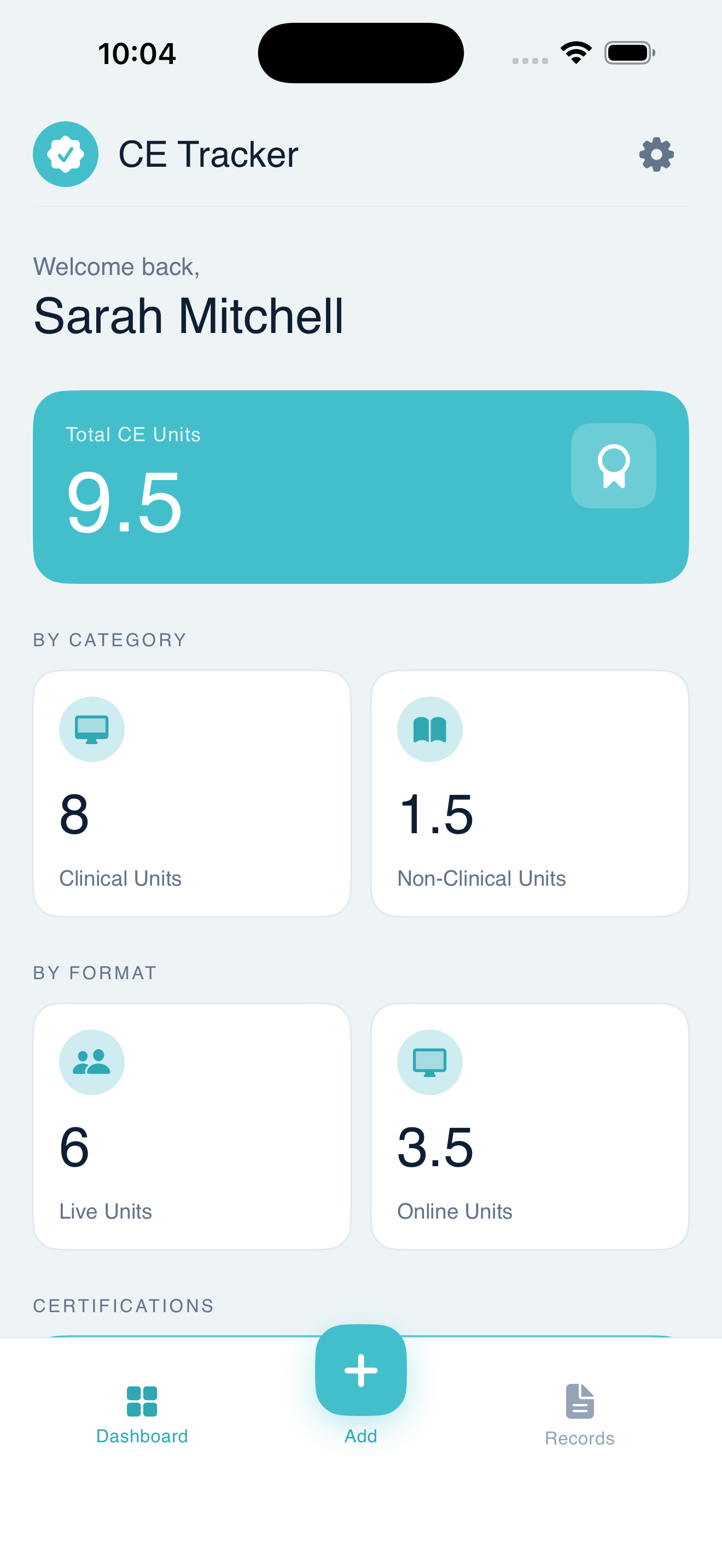
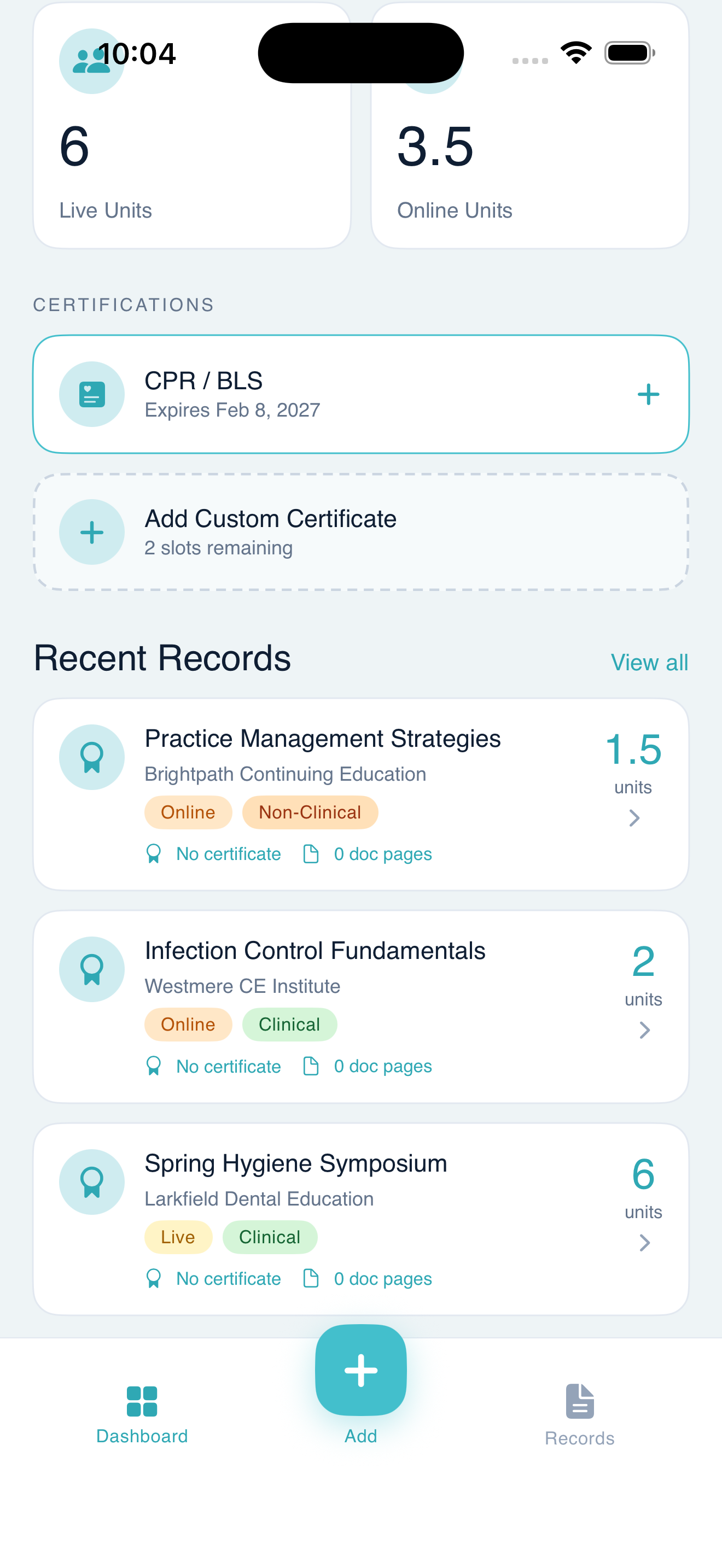
See your total CE units broken down by clinical, non-clinical, live, and online — all on one screen.

Log Courses Instantly
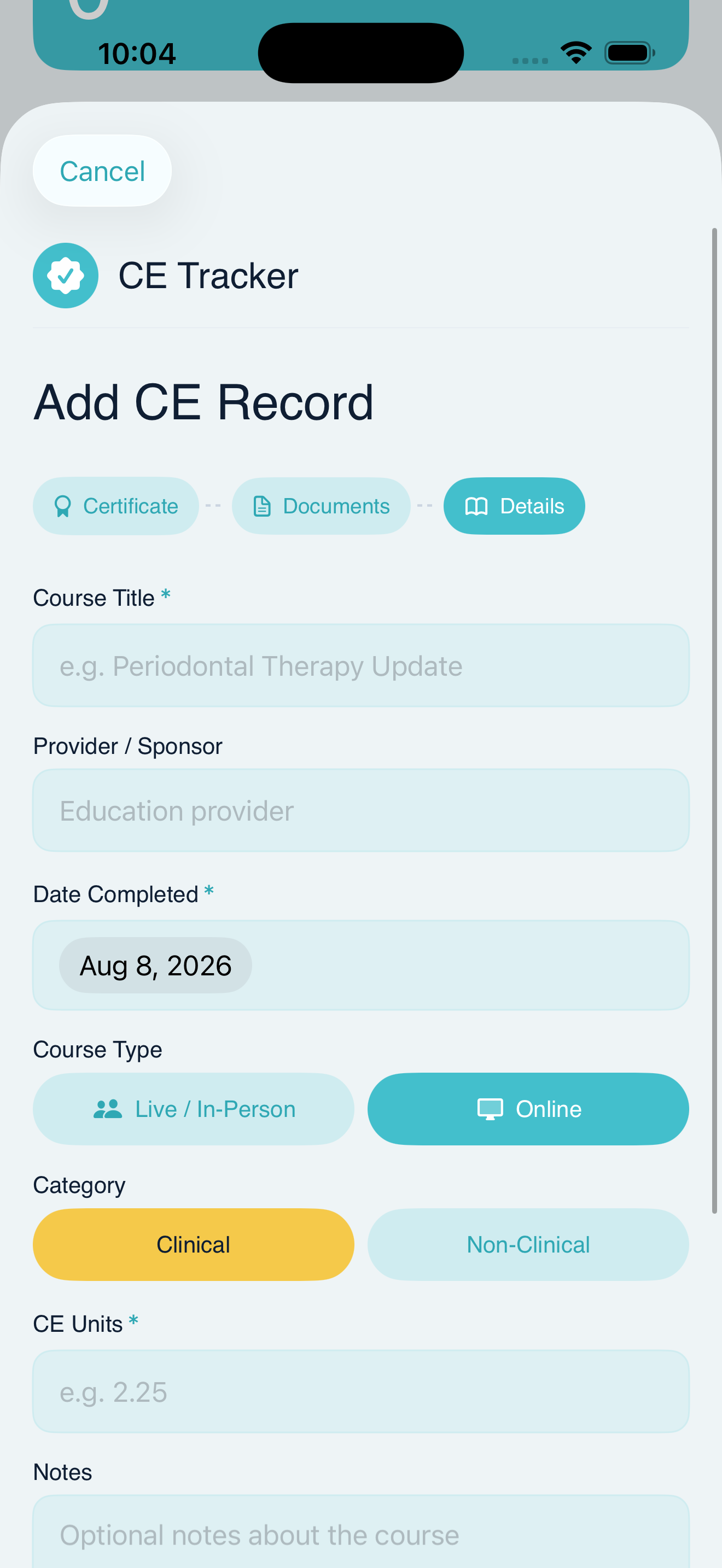
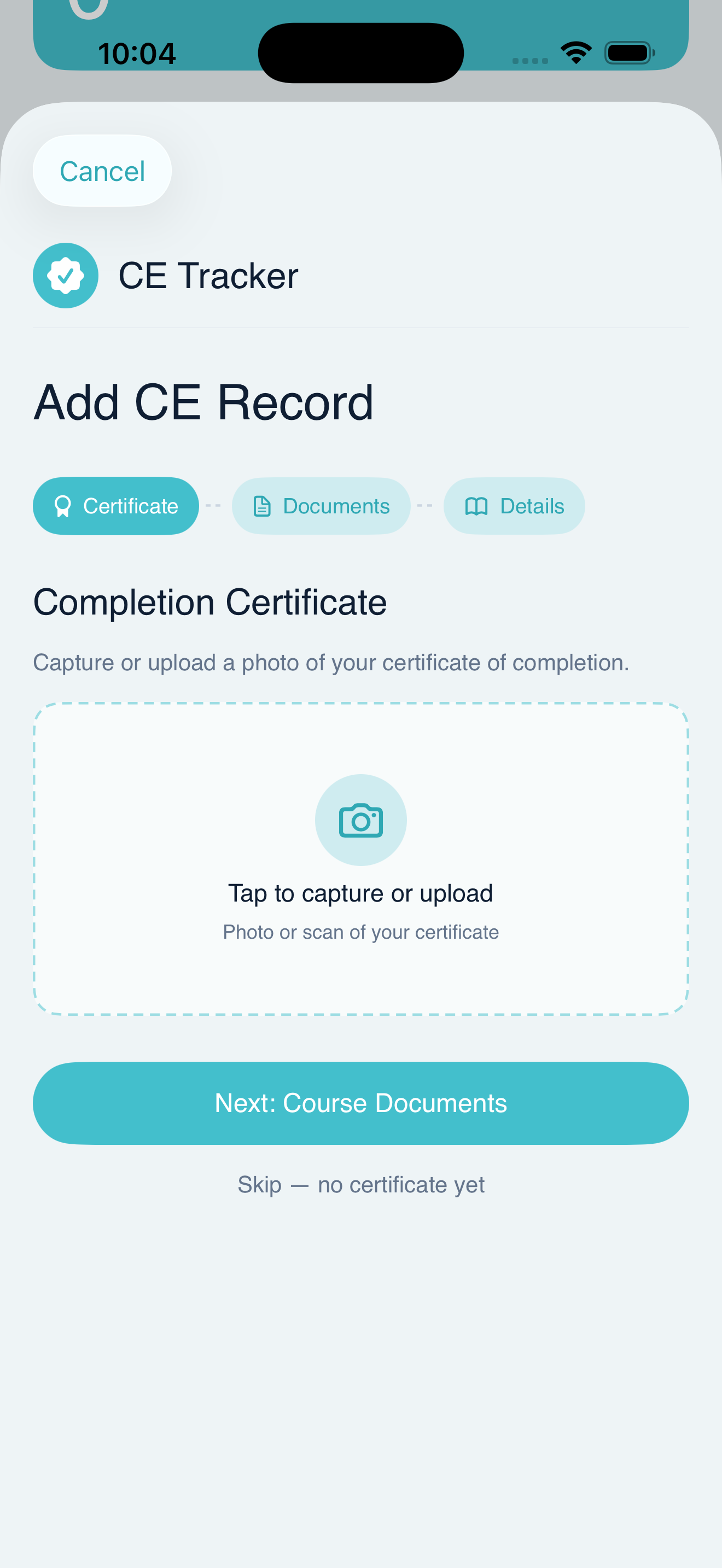
Add a CE record in three steps — attach your certificate, upload course documents, then fill in the details.

Track Certifications
Store CPR/BLS and custom certifications with expiration dates so nothing slips through the cracks.

Export a PDF Report
Generate a professional CE Records Summary with categorized hours, photos, and notes — ready to submit to your state board.

Clinical vs. Non-Clinical
Every record is categorized so you always know exactly how your hours are distributed across requirement types.

Live & Online Hours
Distinguish between live in-person and online self-study courses to meet state licensing requirements precisely.
Live & Online Hours
Distinguish between live in-person and online self-study courses to meet state licensing requirements precisely.
How it works
From course completed to hours logged in seconds.
01
Add a course
Tap the + button and walk through a simple three-step aform — certificate photo, supporting documents, and course details.
02
Categorize your hours
Select Clinical or Non-Clinical, Live or Online. Indy CE
keeps a running total of every category automatically.
03
Export your report
When renewal time comes, generate a professional PDF summary of all your records — complete with photos and notes — in one tap.
See it in action
Everything in one place.
Dashboard
Add Record
Upload Cert
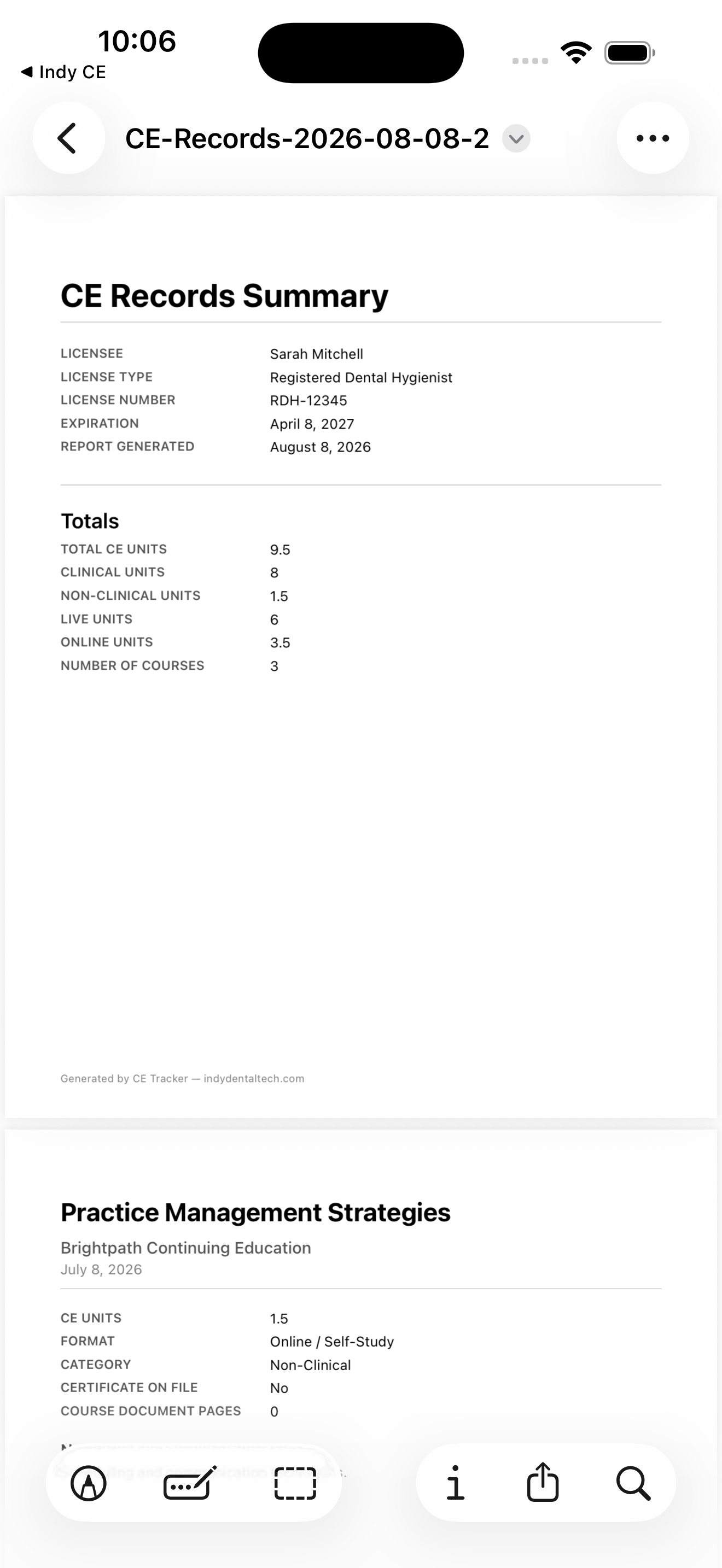
PDF Export
Stop losing track of your CE hours.
Start organizing your continuing education the smart way.

Download on the
App Store
© 2026 Indy Dental Tech · All Right Reserved.
We don't sell your data. all personal information is used to elevate the users experience.
Built by a Dental Hygienist
Your CE hours, always
under control.
Indy CE makes it simple for dental professionals to log continuing education hours, store certificates, and export a professional PDF report — all from your iPhone.
Download on the
App Store

Indy CE
Everything you need
Designed around the
renewal cycle
Dashboard at a Glance
See your total CE units broken down by clinical, non-clinical, live, and online — all on one screen.
Log Courses Instantly
Add a CE record in three steps — attach your certificate, upload course documents, then fill in the details.
Track Certifications
Store CPR/BLS and custom certifications with expiration dates so nothing slips through the cracks.
Clinical vs. Non-Clinical
Every record is categorized so you always know exactly how your hours are distributed across requirement types.
Live & Online Hours
Distinguish between live in-person and online self-study courses to meet state licensing requirements precisely.
Export a PDF Report
Generate a professional CE Records Summary with categorized hours, photos, and notes — ready to submit to your state board.
How it works
From course completed to hours logged in seconds.
01
Add a course
Tap the + button and walk through a simple three-step aform — certificate photo, supporting documents, and course details.
02
Categorize your hours
Select Clinical or Non-Clinical, Live or Online. Indy CE
keeps a running total of every category automatically.
03
Export your report
When renewal time comes, generate a professional PDF summary of all your records — complete with photos and notes — in one tap.
See it in action
Everything in one place.
Dashboard
Add Record
Upload Cert
PDF Export
Stop losing track of your CE hours.
Start organizing your continuing education the smart way.
Download on the
App Store
© 2026 Indy Dental Tech · All Right Reserved.
We don't sell your data. all personal information is used to elevate the users experience.
Built by a Dental Hygienist
Your CE hours, always
under control.
Indy CE makes it simple for dental professionals to log continuing education hours, store certificates, and export a professional PDF report — all from your iPhone.
Download on the
App Store
Indy CE
← All Apps
Download
How it works
From course completed to hours logged in seconds.
01
Add a course
Tap the + button and walk through a simple three-step form — certificate photo, supporting documents, and course details.
02
Categorize your hours
Select Clinical or Non-Clinical, Live or Online. Indy CE keeps a running total of every category automatically.
03
Export your report
When renewal time comes, generate a professional PDF summary of all your records — complete with photos and notes — in one tap.
See it in action
Everything in one place.
Dashboard
Add Record
Upload Cert
PDF Export
Stop losing track of your CE hours.
Start organizing your continuing education the smart way.
Download on the
App Store
© 2026 Indy Dental Tech · All Right Reserved.
We don't sell your data. all personal information is used to elevate the users experience.
Built by a Dental Hygienist
Your CE hours, always
under control.
Indy CE makes it simple for dental professionals to log continuing education hours, store certificates, and export a professional PDF report — all from your iPhone.
Download on the
App Store
Indy CE
← All Apps
Download